Your location: Home Page > RFID Blog | SILION TECH > How to Test a UHF RFID Module Before Integrating It into a Product
News and Information
How to Test a UHF RFID Module Before Integrating It into a Product
Author:2026-10-14 15:00:00
Introduction
The module you choose for an RFID reader, handheld terminal, smart shelf, or industrial tracking device will significantly affect the entire project. Although a specification sheet gives only part of the information, it won't tell you whether the module will be compatible with your tags, in your environment, and with your software.
Check the module first. Before installing it in the hardware, make sure it reads the tags properly, is compatible with your tags, note which interfaces and software it requires, and observe how it performs in the actual location where the product will be used.
The advice given by SILION TECH in its guide on selecting a UHF RFID module is to try out the module with your actual tags, check the accuracy of reading in various environments, make sure that it is compatible with your software, and carry out a small pilot project before carrying out full deployment. This article sets out how to carry this out, step by step.
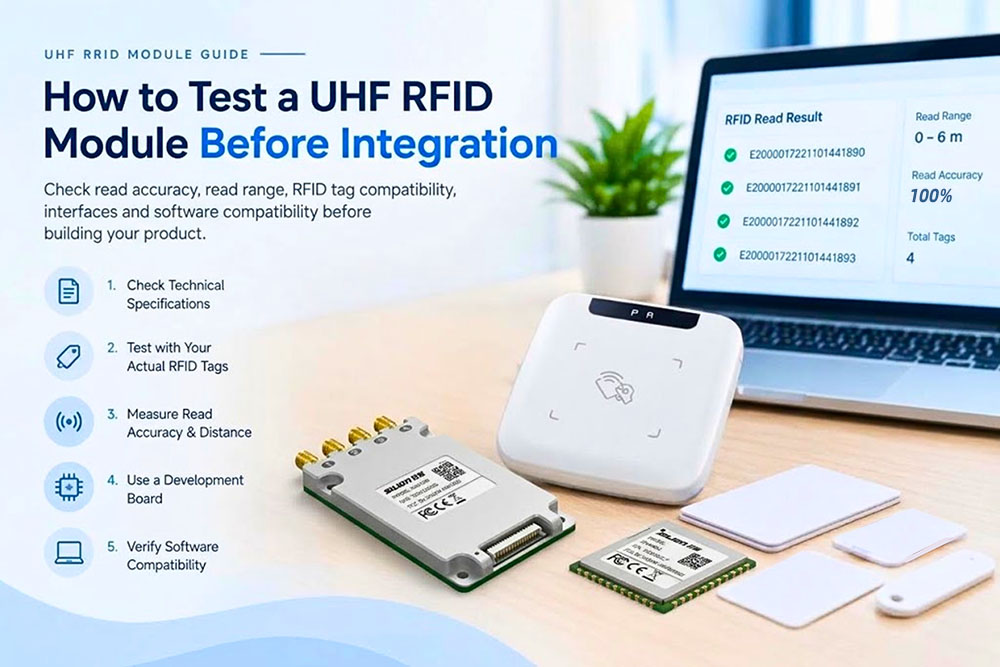
Why Test a UHF RFID Module Before Integration?
Testing allows you to find out early on whether a module meets the technical and practical requirements of your project; for instance, a module designed for a handheld reader has different size and antenna requirements compared to one made for a fixed industrial reader.
The modules offered by SILION TECH vary according to chipset, size, RF output power, antenna interfaces, and performance, and so the choice you make will depend on your particular application. The following five points should be examined before finalizing your hardware design:
• Be accurate in your labeling
• Consider reading distance and performance in the appropriate environment
• Compatible with tags used in your software
• Interface hardware and integration needs
• Performance of the software as a whole
Step 1: Check the Module's Technical Specifications
Begin by referring to the datasheet and examining the reader's chipset, the air protocol it supports, the RF output power, the receiver sensitivity, the antenna interface, the communication interface, the power requirements, the size, and the operating temperature, since these points will immediately show you if the module can be incorporated into your design.
The SIM3500 UHF RFID module is an example of such a device; it is based on the Impinj E310 reader chip and provides an adjustable RF output power ranging from 5 dBm to 30 dBm, has a single RF antenna port, a 20-pin surface-mount interface, and is compatible with EPC Class 1 Gen 2 (ISO 18000-6C). The module is intended for use in PDA and desktop RFID devices.
No matter which module you decide on, you should first check that its dimensions, electrical requirements, interfaces, and RFID protocol conform to your product specifications before proceeding.
Step 2: Test the Module with Your Actual RFID Tags
This may well be the most useful step since changes to the tag design, the material surrounding the tag, the arrangement of the antenna, and the test environment can all affect the result.
The selection guide from SILION TECH suggests that you should use real tags when carrying out tests, particularly when your products include metal or liquid. You should make sure that the module is capable of reading the types of tags that your application will actually use; for example, when working on a warehouse inventory project, you should test tags that are attached to the real items or to the packaging. If your situation involves metal or liquid-based items, you must include samples of those as well.
Record the results and indicate any circumstances in which read performance changes. The information you obtain from your own tags and materials is considerably more useful than a general specification or a demo that used different tags.
Step 3: Measure Read Accuracy and Distance
A published maximum read distance is not a guarantee for every application. SILION TECH makes it clear that this will vary according to test environment, antenna configuration, and tag type. You need to run your tests under the actual conditions in which the product will be used. Pay attention to:
• Reading range: The reading range of the module where it accurately recognizes your tags.
• Test accuracy: Whether the tags that are supposed to be detected are always detected.
• Configuration of antenna: Make sure you have an appropriate antenna configuration for your module and application.
• Environmental testing: Conduct the test in the environment where the end product is expected to function.
• Tag placement: Place the tags in the locations where they would normally be positioned.
Take note of the results and do not depend on one successful reading only. When your product is supposed to read labels from some distance, then set the acceptance criteria right before conducting the test.
Step 4: Use an RFID Development Board
With the help of a development board, the module can be tested without having to design an entire device for the same. There are various development boards provided by SILION TECH for testing modules and RFID devices.
SLD1010 RFID Development Board
The SLD1010 development platform is compatible with SILION TECH modules like SIM7100, SIM7200, and SIM7300. Its product description mentions that it has Type-C, RS-232, and TCP/IP interface options and has one input and one output GPIO port. It allows testing of performance and facilitates testing of operations like GPIO, reset, and power-on.
SLD1030 RFID Development Board
The SLD1030 may work with other compatible modules, like SIM7100, SIM5100, and SIM3100. It is equipped with USB, RS232, and TCP/IP communication ports, as well as four GPIO inputs and four GPIO outputs, with three of them being relay outputs. This way, it will show how the module interacts with other hardware.
SLD1040 RFID Development Board
The SLD1040 is said to be suitable for all series of SILION TECH RFID modules. This product has USB, RS232, and Bluetooth interfaces along with one GPIO input and one GPIO output.
The board selection depends upon the module and the interface requirements of the project. Compatibility with a board makes testing the module possible prior to committing to the hardware design.
Step 5: Verify Hardware Interfaces and Power Requirements
The physical and electrical specifications of the module must match those of your product design. Look at the communication interface, antenna connection, voltage requirement, power consumption, and GPIO requirement if applicable.
For instance, the SIM3500 has a 20-pin surface-mount interface and an operating input voltage of 3.6 to 5.0V, as well as an RF output power of 30dBm. The SIM5200, on the other hand, is totally different; this is a four-port device featuring the Impinj E510 chipset, having four 50 Ohm SMA antenna connectors and the RF output power of 30/33 dBm.
Modules require different hardware setups; thus, you should not assume otherwise. Make sure that the module you choose can interface with your antenna, power source, communication system, and host hardware.
Step 6: Check Software Compatibility
Hardware efficiency alone is not sufficient. Compatibility between the module and the software that the final product is going to use is equally important. In the case of SILION TECH, the specifications include API availability for C, C#.NET, and Java for some of their models such as SIM3500; however, you should check the specifications for your particular module.
Ensure that the available software interfaces have the capabilities that are needed by your application, that the module communicates with the host computer, and that the data is usable by your application. In case the product needs to interface with any existing management system or tracking system, ensure that such an interface works properly prior to purchasing any hardware.
Step 7: Test in the Intended Operating Environment
A module that does well on your desk may not do well when deployed in the field, hence the reason why we at SILION TECH suggest testing reading precision in various environments. Consider the places where the item will actually be used, such as retail inventory, warehouses, manufacturing plants, or health facilities.
Ensure that you use representative tags, materials, antenna configurations, and positioning of tags, along with metal and liquid tags if you plan to have them present. The objective here is to determine if the module fits your needs in its intended environment.
Step 8: Run a Pilot Test Before Full Integration
After the initial round of testing is successful, proceed to implement the module in a pilot system. This is because the pilot system provides information on the behavior of the module in a more practical application, and thus is able to uncover issues that were not identified during the bench test. According to the SILION TECH module selector guide, it is advisable to conduct pilots prior to implementation.
Test the pilot for consistency with the requirements set by you previously regarding read accuracy, range, tag suitability, software compatibility, and hardware compatibility. In case your results don’t measure up, you may consider revisiting the testing conditions and comparing them with other modules.
UHF RFID Module Testing Checklist
Go through this list prior to integrating the module into your product.
Testing item | What to verify |
Technical specifications | Chipset, dimensions, power, interfaces, and supported protocol |
RFID tag compatibility | Performance with the actual tags used in the application |
Read accuracy | Whether the same tags are identified consistently |
Read distance | Performance at the required operating distance |
Antenna configuration | Compatibility with the chosen antenna arrangement |
Hardware integration | Electrical requirements and physical connections |
Software compatibility | Available APIs and integration with the host system |
Environmental suitability | Performance under realistic operating conditions |
Pilot testing | Results from a small prototype or trial deployment |
Practical Tips for More Reliable Testing
1. First, set criteria for pass/fail. Determine what read accuracy, distance requirements, and number of tags need to be supported by the product.
2. Keep your test conditions standardized. When testing different modules, ensure that the position of tags, antennas, and RF configurations is identical.
3. Record all the information. It is important to include information about the module structure, antenna, tags used, settings, surroundings, and results.
4. Check Radio Regulations. Ensure that the frequencies and RF power output of the product conform to the regulations in the target market.
5. Perform tests using the last enclosure. In case the unit is manufactured with a custom enclosure, perform all necessary tests using the actual enclosure and antenna setup.
6. If your project relies on Gen2X functions (FastID, TagFocus), verify these Gen2X specific features during board level testing, and confirm module firmware supports the required feature set.
Frequently Asked Questions
How do you test a UHF RFID module before integration?
Check out the technical details, test it with your existing RFID tags, determine how far and accurately it reads, check out the hardware and software compatibility, and conduct a pilot study.
Why should RFID modules be tested with actual tags?
The tag design, placement, and materials surrounding the tag can all influence readability. Running tests using your actual tags gives a more realistic view of how well they will read.
Can an RFID development board help test a UHF RFID module?
Yes, but you must know that there are boards provided by SILION TECH to test compatible RFID modules and make a complete device. There are various interface boards like SLD1010, SLD1030, and SLD1040.
Does a module's maximum read distance guarantee the same distance in a finished product?
SILION TECH says max read range is dependent on test environment, antenna configuration, and type of tag. Test in an environment similar to your actual application.
What should be checked before choosing an RFID module?
Review technical specifications, reading performance, tag compatibility, hardware software interfaces, and power supply requirements. Pre integration module testing validates whether hardware meets project requirements: start with datasheet review, then test against your real world tags, verify read range and accuracy, and confirm hardware and software compatibility. Use a matching development board for early stage validation where applicable.
SILION TECH provides UHF RFID modules and boards that can fit various integration purposes. Browsing their selection and choosing the most appropriate one is sure to make your decision easier.
Need help selecting a UHF RFID module for your project?
Email us at sales@silion.com.cn
Website: https://en.silion.com.cn/
WhatsApp: +86-137-2421-6730